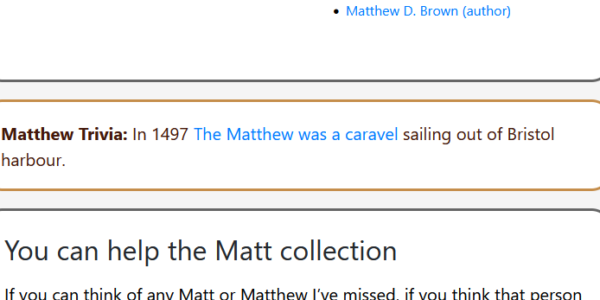
You may notice that this and other brills have trivia or fun facts with their own decoration. This is how you can add those boxes to your brill.
First, add a fun fact paragraph. Ideally one not inside a group. Click “Advanced” and add “trivia” (no quotes) as a custom class.
Second, view your brill and hit customise. In Custom CSS add the following:
.trivia{
	border: 3px solid #C58E4C;
	padding:1em;
	background-color:white;
	border-radius: 25px;
	margin: 1em 0;
	font-size: 125%;
	color:#44190B !important;
}
.trivia strong {
	color:#44190B !important;
}
All of your specially classed “trivia” paragraphs now appear in a custom-coloured box. Change the hex codes to suit your brill.