The brillbox is where the featured image is shown. It is possible to override this and put a video in there instead.
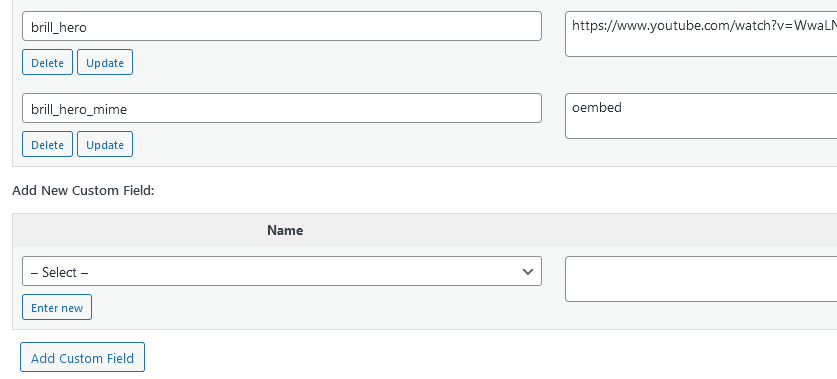
Add two “Custom Fields”.
- brill_hero
- brill_hero_mime
Use the YouTube link for the brill_hero value and “oembed” (no quotes) for the brill_hero_mime value.
Like this: